


1. Choose a design
Order, log in to your admin dashboard and choose the design for your invitation.
Cart
Your cart is empty
Everything at a glance: date, venue, food, dress code and FAQ
RSVP included: all replies collected in your dashboard
Change it anytime: your guests always see the latest version
One link for all guests: no printing, postage or waiting
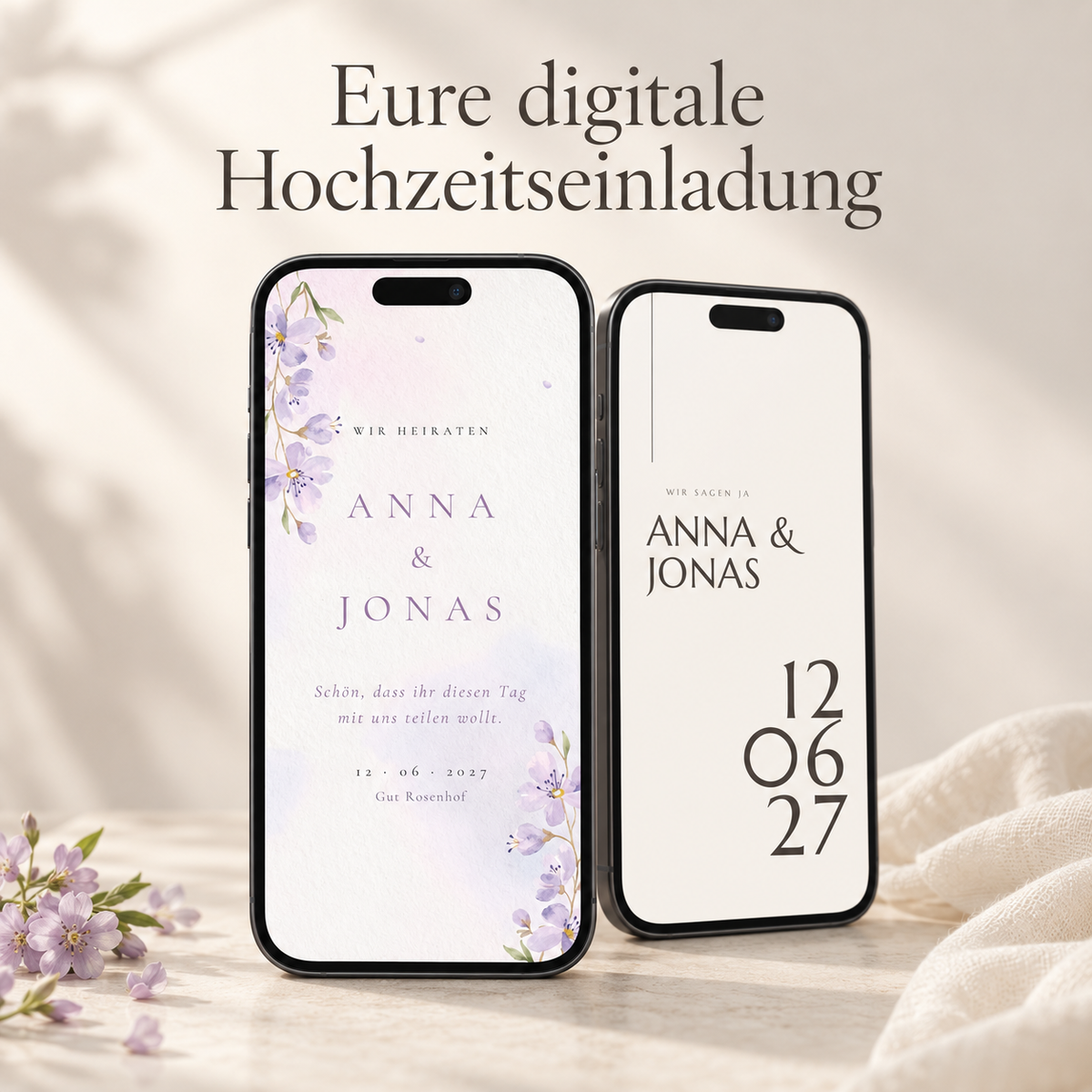
Your wedding begins with an invitation that suits you. Choose your favorite design, add your details and share your digital wedding invitation easily via WhatsApp, email or text message.
Date, venue, food or dress code: your invitation gives your guests all the info about your big day. Your own questions and answers plus your contact details make it complete.
After ordering, you design your invitation in your dashboard. Then share the link with your guests and see who has accepted or declined.
After ordering, you design your invitation in your admin dashboard: choose a design and add your names, date, venue, food, dress code, FAQ and contact details.
Then send the link to your guests. You'll see all their replies collected in the dashboard. If something changes, edit the invitation there and update it for your guests.
Choose options
Everything at a glance: date, venue, food, dress code and FAQ
RSVP included: all replies collected in your dashboard
Change it anytime: your guests always see the latest version
One link for all guests: no printing, postage or waiting
After ordering, you design your invitation in your admin dashboard: choose a design and add your names, date, venue, food, dress code, FAQ and contact details.
Then send the link to your guests. You'll see all their replies collected in the dashboard. If something changes, edit the invitation there and update it for your guests.
Everything at a glance: date, venue, food, dress code and FAQ
RSVP included: all replies collected in your dashboard
Change it anytime: your guests always see the latest version
One link for all guests: no printing, postage or waiting
After ordering, you design your invitation in your admin dashboard: choose a design and add your names, date, venue, food, dress code, FAQ and contact details.
Then send the link to your guests. You'll see all their replies collected in the dashboard. If something changes, edit the invitation there and update it for your guests.
What your invitation looks like
No more info sheets, group chats and the same question ten times over. Your digital invitation brings together everything about your big day: beautifully designed, opens instantly on any phone and always up to date.
Your names, your date, your venue
The key details of your wedding, beautifully presented.
Food and dress code
Your guests know in advance what to expect and what to wear.
FAQ and contact
Kids, parking, gifts: answer the most common questions before anyone asks.
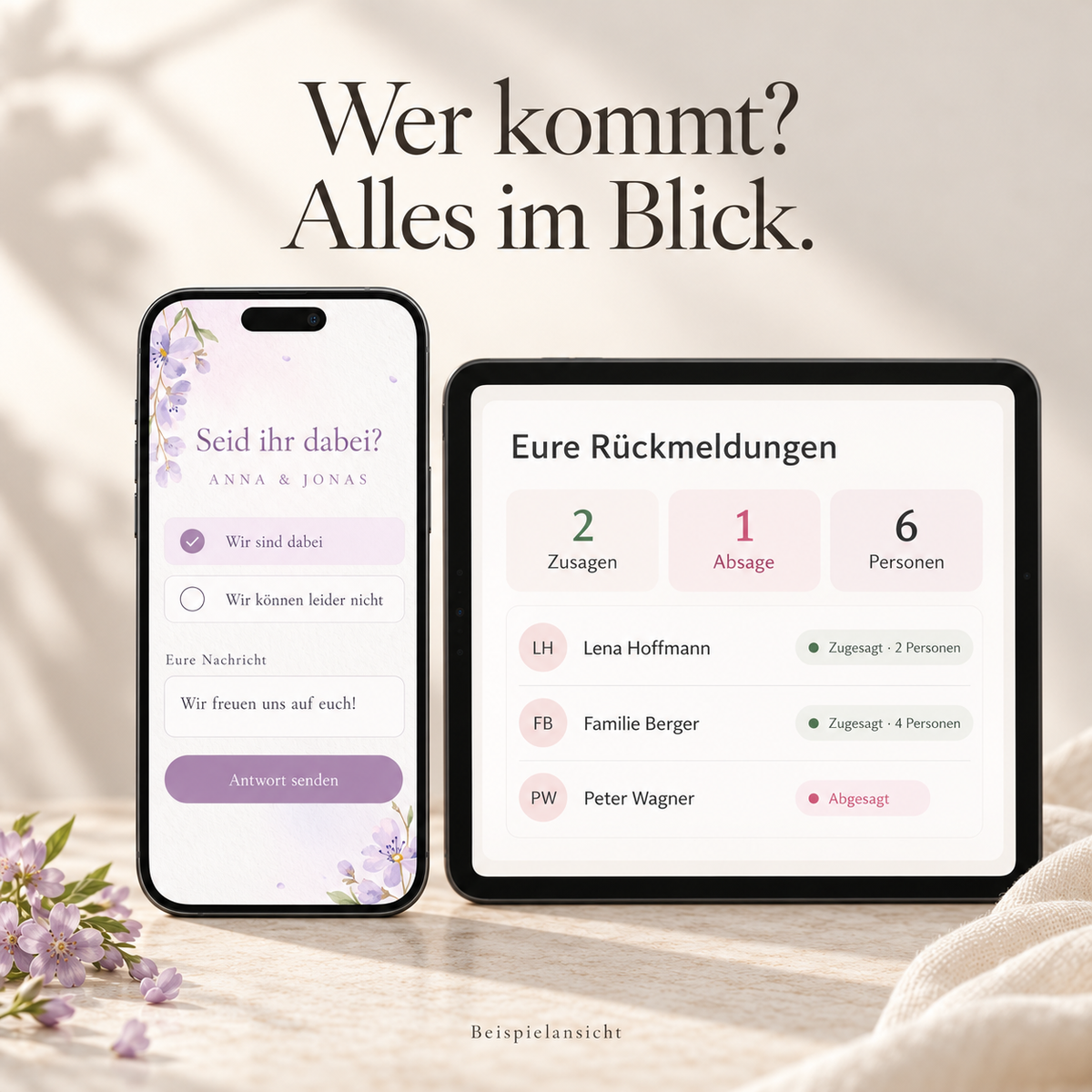
RSVP right in the invitation
Accept or decline with one tap, plus a free-text field for personal messages.
We're getting married
Emma & Moritz
We're so glad you want to share this day with us.
20 · 11 · 2027
Gut Wiesenhof · Aumühle
it's almost time
Countdown
this is where we celebrate
Venue
Gut Wiesenhof
Am Mühlenteich 4, 21521 Aumühle
what should I wear?
Dress code
Festive, ideally in muted tones. Please no white.
enjoy your meal
Menu
Seasonal menu from the estate, vegetarian and vegan options too.
good to know
Questions & answers
will you be there?
RSVP
Please let us know by October 1, 2027.
Our designs
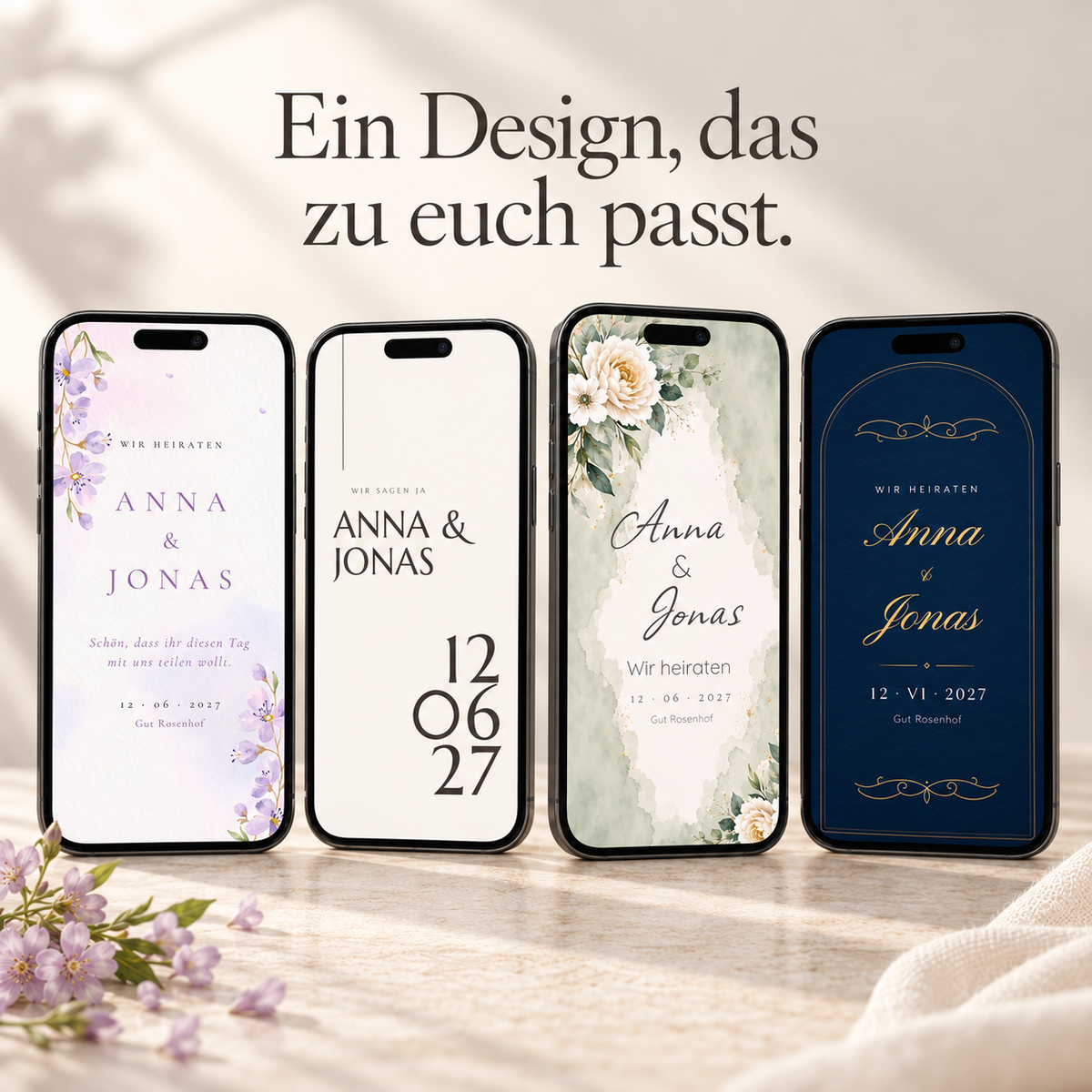
Ten designs in two collections. Take your time choosing yours in your dashboard after ordering.
Timeless and elegant, every design in several colors.
 View live
Minimalism
View live
Minimalism View live
Goldfaden
View live
Goldfaden View live
Swanlight
View live
Swanlight View live
Terrakotta
View live
Terrakotta View live
Fernweh
View live
FernwehRomantic, with flowers and vines.
RSVP included
Who's coming, who isn't, who still has a question? Instead of piecing together answers from WhatsApp, phone calls and reply cards, all replies end up collected in your dashboard.
Guests use the free-text field to tell you directly what you need to know for your planning.
The comparison
It's that easy
Order, log in to your admin dashboard and choose the design for your invitation.
Add your names, date, venue, food, dress code, FAQ and contact details. Your invitation is ready.
Send the link to your guests and watch the RSVPs roll in on your dashboard.
All from one place
Your invitation is just the beginning. MyMillionSnaps has the right thing for every moment around your wedding.
Save the Date
So your loved ones keep the day free in good time.
Digital Invitation
All the info, RSVP and always up to date.
Wedding Gallery
Your guests upload photos and videos via QR code, no app needed.
Thank You Cards
A heartfelt thank you to everyone who celebrated with you.
Real reviews, live from Reviews.io
The invitation is made by the same team as our wedding gallery.
You get a link to your invitation and share it however you like, for example via WhatsApp, email or text message.
No. Your guests simply open the invitation via the link in their browser.
Your names, date, venue, food, dress code, your own FAQ and your contact details. Plus RSVP, so your guests can accept or decline directly.
Your guests accept or decline right in the invitation and can send you a message via a free-text field. You see all replies collected in your admin dashboard.
Yes. You can edit the invitation in your admin dashboard at any time and update it for your guests.
At launch there are ten designs in two collections: the Standard Collection with several colors per design, and the Flower Collection with flowers and vines. You choose your design in your dashboard after ordering. Save the Date and thank-you cards are coming soon.
Message us via WhatsApp or our contact form. We usually reply within 5 to 60 minutes.
The excitement starts now
Design your digital wedding invitation and send it to all your guests with one link. No printing, no postage, no paper chaos.
Any questions? Message us, we usually reply within an hour.